


How does multiplayer work in Subnautica 2? There's one feature that Subnautica fans have been asking for since the first game was released, and with the early access release of Subnautica 2, it's finally become a reality. For the first time in the series, players can dive in with their friends and experience the beauty (and horrors) of the underwater world.
In the teaser trailer for Subnautica 2, Unknown Worlds confirmed that multiplayer was coming to the survival game. Now that the early access release has arrived, it's time to dive into exactly how Subnautica 2 multiplayer works, detailing exactly what you need to do to play with your friends online.

How to play Subnautica 2 multiplayer
Here's how you can host your friends in Subnautica 2 mulitplayer:
- From the main menu, click 'Host Multiplayer', then 'Host New Multiplayer Game'.
- Pick a game mode, then select 'Host Game'.
- When you're in the game, press Escape or Start and go to 'Friends List'.
- Select the friend you want to play with by hovering over their name, then press the 'Invite' button.
If you've already been playing single-player and you don't want to spend time recreating your world, you can convert your single-player save into a multiplayer one. To do this, simply highlight your save and press the 'Convert to Multiplayer' button. Similarly, if you've spent a lot of time playing multiplayer and you want to play on your own, your save can also be converted.

Add friends in Subnautica 2
To play with your friends on another platform, you'll need to add them as in-game friends. This not only applies to Subnautica 2 crossplay when dealing with PC and Xbox players, but also Steam, Epic, and Windows Store users.
Here's how to add friends in Subnautica 2:
- When you're in the game, press Escape or Start and go to 'Friends List'.
- You will have to press the 'Generate Code' button if this is your first time using this system to see your friend code.
- Once the code has been generated, press 'Copy Code' and send it to your friends.
- Alternatively, you can ask your friend to send you their code, then copy it into the 'Friend Code' box and press 'Add Friend'.
When you've added your friends to the game, you should be able to see them in this list every time you play. This is required for crossplay to work, and Unknown Worlds has confirmed this will be needed when the game eventually comes to other platforms.

Upload your save to the cloud
Since all your progress is confined to your specific save, if friends join you on any adventures, everything that happens can only continue when you decide to play again. Fortunately, you can upload your save to the cloud, which gives you access to a code that can be shared with your friends, allowing them to continue playing your save.
Here's how to upload your Subnautica 2 save to the cloud:
- From the main menu, select your save in either single-player or multiplayer and click 'Upload to Cloud'.
- Click 'Upload' and wait for the game to upload the files.
- When the process has finished, you will receive a code. Press 'Copy Key' and then press the Escape key to head back to the main menu.
- To use a cloud save code, restart the game and click 'Import Save' at the bottom of the screen.
- Paste the code into the box, and the save will appear in your game.
This means that if you allow your friends to continue where you left off, any progress they make will be confined to their save. You may need them to upload their save when they're finished, allowing you to enjoy the fruits of their labor.
We should note that the code generated when you create a cloud save only works once. If you're playing with multiple people who want a copy of the save, you'll need to hand out individual codes.
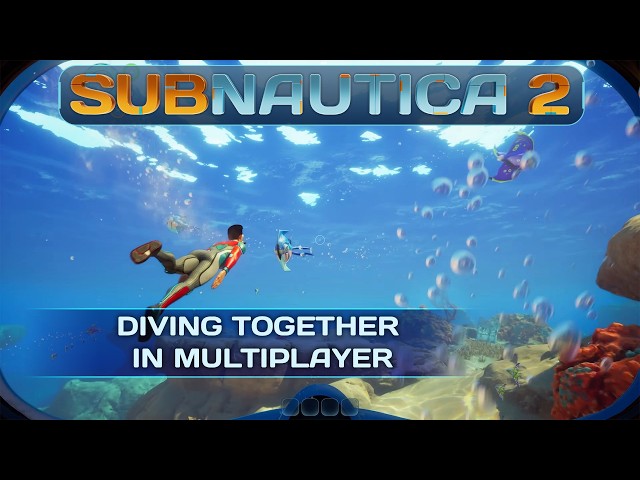
How does multiplayer work in Subnautica 2?
Subnautica 2 was built from the ground up with multiplayer in mind, according to Jon Bjarnason, lead engineer at Unknown Worlds. Everything that can be done in single-player can be accomplished in multiplayer, and there aren't any multiplayer-exclusive features.
The game is playable with up to three friends, giving you and your friends the chance to explore, collect resources, and build bases across the mysterious planet. Subnautica 2 uses a drop-in, drop-out system, allowing you to convert your single-player save to a multiplayer one at a moment's notice.
You've also got the option to create a separate multiplayer save from your solo play, keeping all of your adventures contained to a different world.As highlighted in the Subnautica 2 base building guide, it's possible for your friends to steal your resources when they're in your world.
Unknown Worlds has made it clear in its Waterside Q&A video that Subnautica 2 has been designed as a single-player experience first and foremost. This means that while you can play the game with other people, there are some elements of the gameplay that work best when playing alone. Playing Subnautica 2 in multiplayer is an optional experience, ensuring you can still have those moments of isolation and dread without having other people spoil them.

Subnautica 2 crossplay support
Subnautica 2 does support cross-play multiplayer between Xbox and PC users. If you want to play with a friend on a different platform, you'll need to add them via Subnautica 2's friends list system. If the game launches on other platforms like PlayStation 5 and Nintendo Switch 2, you will likely have to use this system to play with your console mates.
That's all you need to know about Subnautica 2 multiplayer and how it works. Unknown Worlds is proud of the fact that the multiplayer game is playable on a wide range of systems, but we recommend checking out the Subnautica 2 system requirements first to make sure your PC is up to par before diving in.